Introductions
Rather than writing to someone yourself, you can ask our team to introduce you. We read why you'd like to meet, and if we agree, we introduce you both with a note. It happens only if the other member says yes.
Asking for an introduction
- Open the member's profile and click Ask for an introduction.
- Say Why you'd like to meet them, up to 500 characters. This is for our team only: the other member never sees it.
- Click Ask the team.
It shows in Introductions, under You asked for, as "With our team". Then:
- If we agree, we ask the other member, with a note introducing you both.
- If they say yes, a conversation opens between you in Messages, starting with our note, and we email you.
- If it doesn't go ahead, it says so in Introductions. We don't say whether it was our decision or theirs, and we don't email you.
Limits
- You can have up to 3 introductions open at once, whether they're with our team or waiting for the other member.
- If one doesn't go ahead, or you withdraw it, you can ask to meet the same member again after 90 days.
- While it's still with our team, you can Withdraw it.
When someone would like to meet you
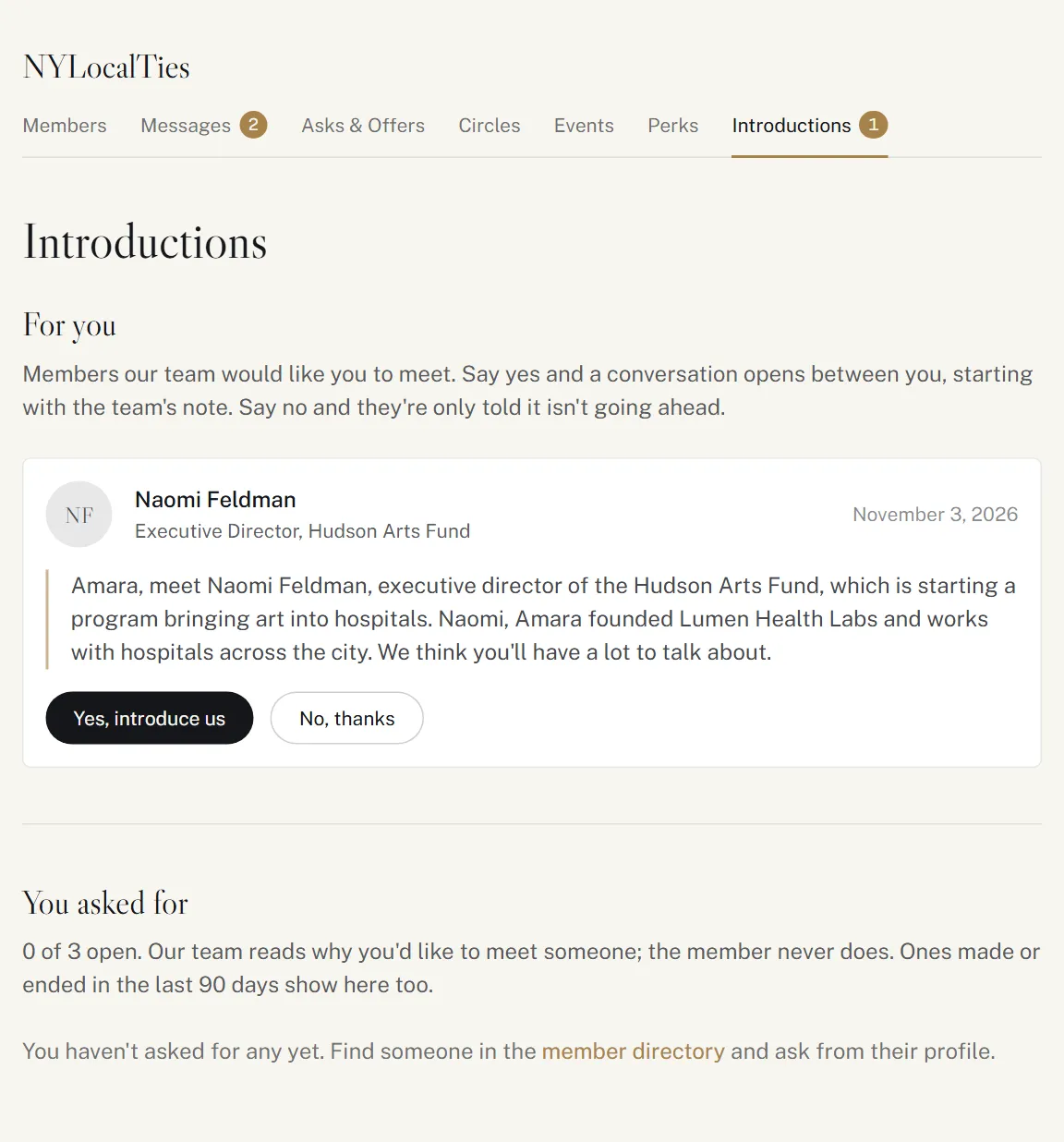
We email you when our team would like to introduce you to someone. In Introductions, under For you, read our note, then:
- Yes, introduce us: a conversation opens between you, starting with our note.
- No, thanks: they're only told it isn't going ahead.
You never see why they asked.
Introductions are part of some memberships. Answering one needs messages; asking for one needs introductions as well.