Your profile
You change your profile in Account › Profile.
The basics
Your first and last name, title, company and state are your profile's basics. Logged-in members of your chapter see them.
Change your title, company or state and click Save changes: it shows straight away.
Changing your name
With a free account, a new name shows straight away.
Once you're a member, a new first or last name waits for our team to approve it, so nobody can quietly take on someone else's name. Until then your profile keeps your current name, and your account shows the one waiting. We email you when it's approved, or if it isn't. To keep your current name instead, change it back.
Your member profile
Members also fill in Member profile, which other members of your chapter see with your name. It's never public.
- Photo: a clear photo of your face, as a JPEG, PNG or WebP of up to 8 MB. We crop it to a square, and keep nothing else from the file, such as where it was taken. Change photo replaces it; Remove takes it off.
- About you: a few lines on what you do and what you care about, up to 1,000 characters.
- I can help with and I'm looking for: topics separated by commas, such as "real estate, hiring, public speaking", up to 10 of each. While you're Visible, members can find you by what you can help with.
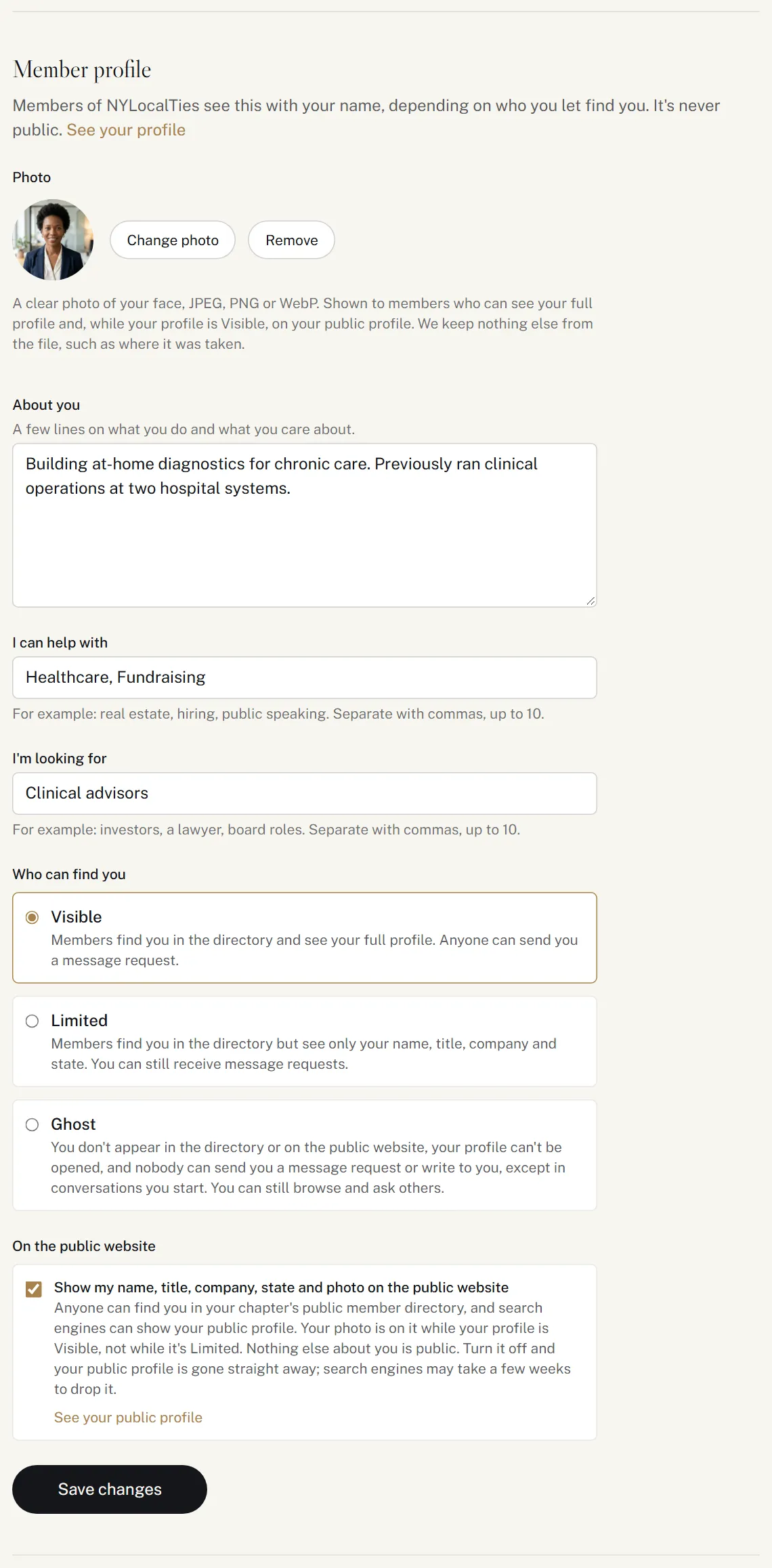
Who can find you
Choose how visible you are to other members:
| Visible | Members find you in the directory and see your full profile. Anyone can send you a message request. |
| Limited | Members find you in the directory but see only your name, title, company and state. You can still receive message requests. |
| Ghost | You don't appear in the directory or on the public website, your profile can't be opened, and nobody can send you a message request or write to you, except in conversations you start. You can still browse and ask others. |
New members start as Visible. You can change it at any time.
Your public profile
As a member, you're also listed in your chapter's public member directory, which anyone can see and search engines can show. Your public profile has only your name, title, company and state, and your photo while you're Visible (not while you're Limited). Nothing else about you is public.
To leave it, untick Show my name, title, company, state and photo on the public website. Your public profile is gone straight away, though search engines may take a few weeks to drop it. Ghost members never have one. While you're listed, See your public profile shows it as anyone sees it.
Free accounts are never public. A member's public profile ends when their membership does.
Contact details
Contact shows your email address, mobile number and chapter. They're never on your profile: we use them to reach you about your account and your application.
Your account belongs to one chapter. You can't change your chapter or mobile number yourself: get in touch with our membership team.