Messages
Members don't write to each other out of the blue. You first ask for a conversation with a short note, and once the other member accepts, you can write to each other directly. Only the two of you can read a conversation.
If your membership doesn't include messages, Messages shows a locked preview.
Asking for a conversation
- Open the member's profile and click Send a message request.
- Write A note for them: say who you are and what you'd like to talk about. Up to 500 characters.
- Click Send request.
They get an email saying you sent a request (it doesn't include your note), and see it in their Messages. Their profile then shows that you've asked, and their answer shows in your Messages too.
- You can have up to 10 requests waiting for an answer at once. To ask someone new after that, withdraw one.
- If a member declines, or you withdraw your request, you can ask them again after 90 days.
- Members set to Ghost can't be sent requests.
- If you both ask each other, accepting one request accepts both.
Answering a request
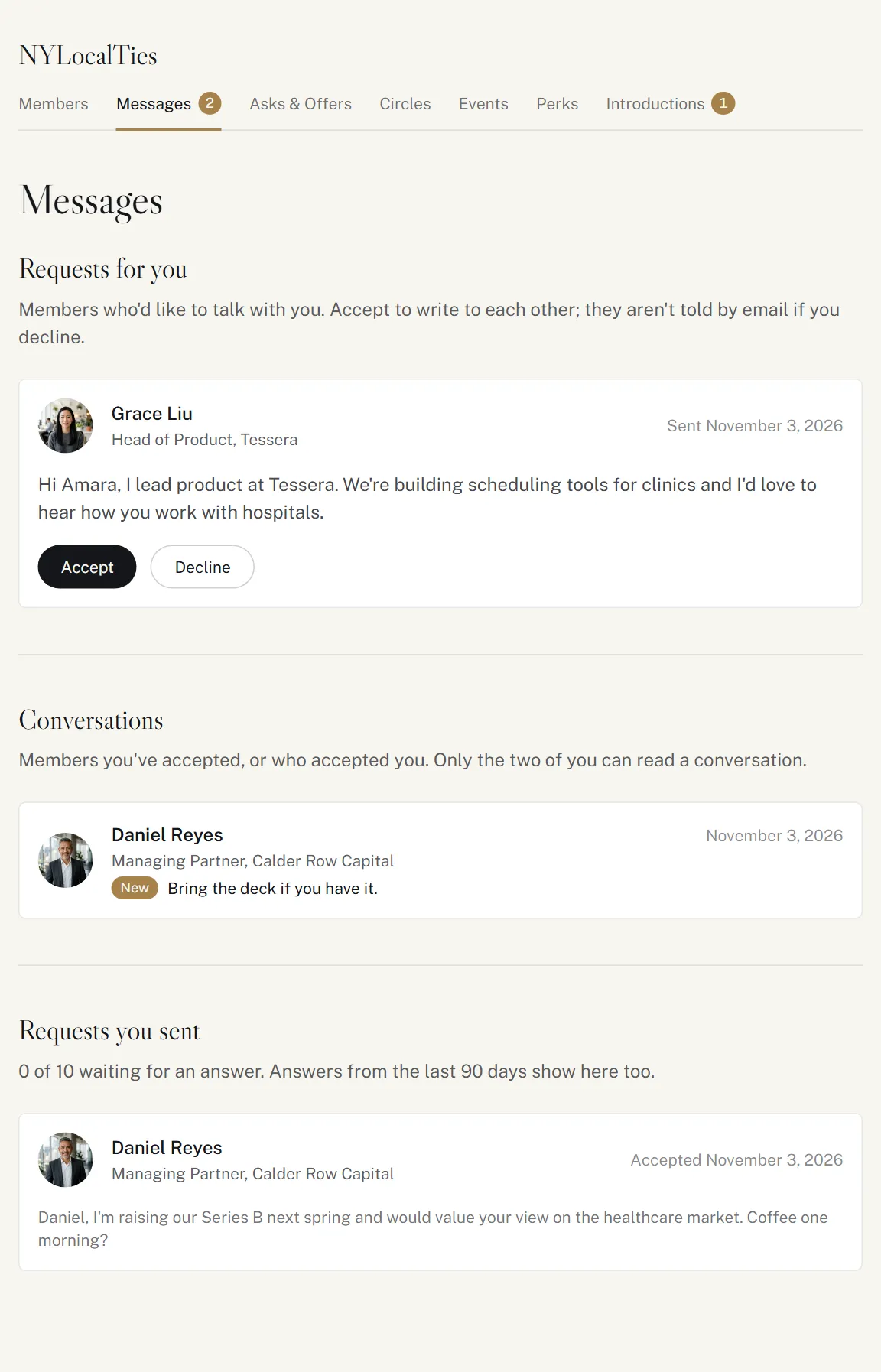
Requests for you are at the top of Messages, with each member's note.
- Accept: a conversation opens, and they get an email.
- Decline: they aren't emailed. They only see "Declined" in the requests they sent.
Writing to each other
Conversations lists the members you're talking to, with New beside any with unread messages. Open one to read and reply. The note that started it stays at the top.
- A message can be up to 2,000 characters. Ctrl+Enter (⌘+Enter on a Mac) sends it.
- The conversation updates on its own every few seconds.
- If the other member can't receive messages right now, for example because their membership has paused, the conversation stays there for you to read, but you can't write.
Emails
You get an email when someone sends you a request, accepts yours, or writes to you. The emails never include what was written.
For new messages, we wait a couple of minutes, and don't email you if you've read it by then. If more messages arrive before you open the conversation, you get just the one email.
Withdrawing a request
Requests you sent, at the bottom of Messages, shows how many of your 10 are waiting, and the answers from the last 90 days. To take one back, click Withdraw request beside it (or on the member's profile). You won't be able to ask them again for 90 days.